
Kit User Guide
Kit is the on-device AI assistant built into DMGKit. It reads your release logs, explains why code signing or notarization failed in plain language and helps you find your way around the app.
What is Kit?
Releasing a Mac app outside the Mac App Store means signing the app, notarizing it with Apple, stapling the ticket and checking the result. Each step writes to a log, and when one fails the message can be hard to read.
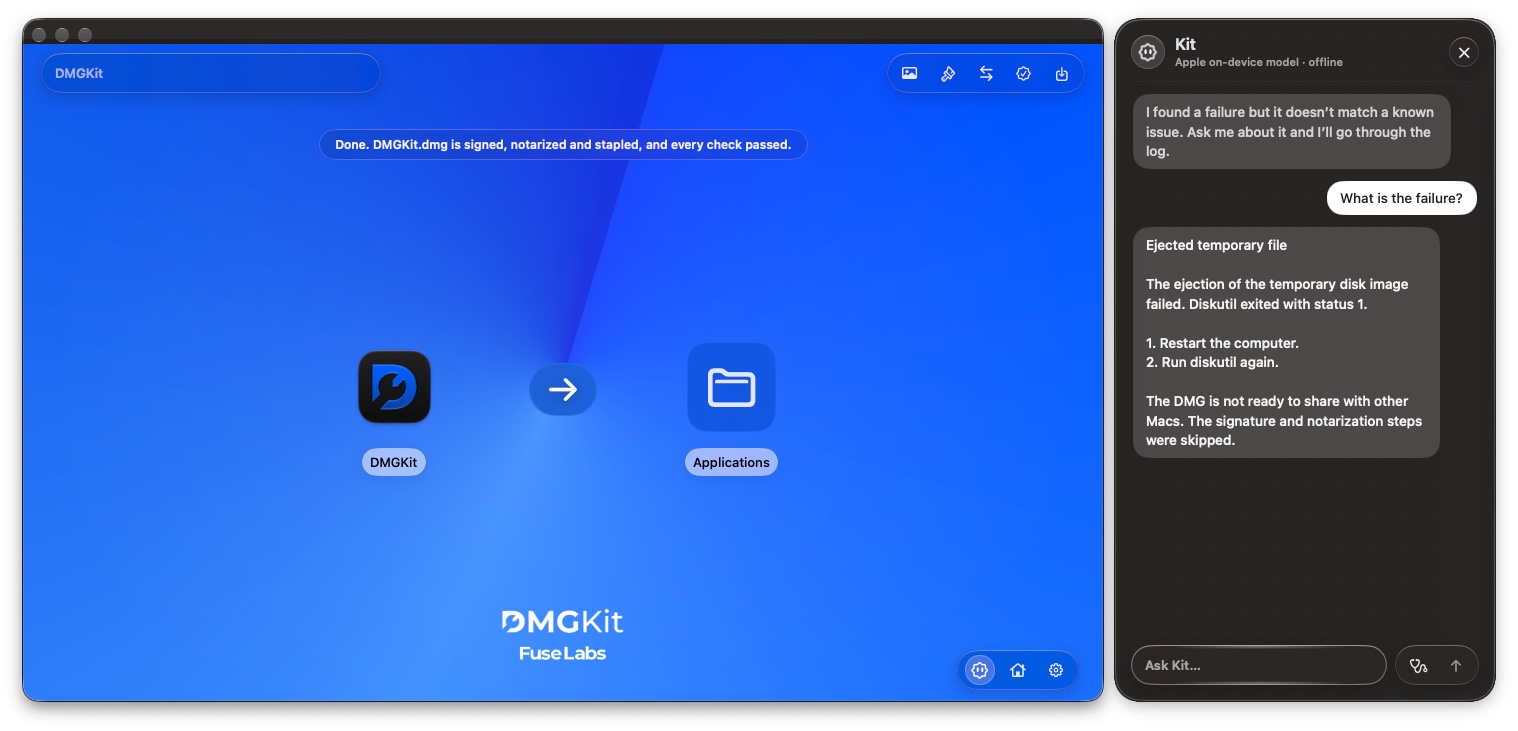
Kit sits next to your work in DMGKit. You ask a question in your own words, and Kit answers using what DMGKit recorded during your session.
What you need
- DMGKit on a Mac running macOS 15 or later
- Apple Intelligence turned on, or Qwen, which Kit uses when Apple Intelligence is turned off
Open Kit
Click the Kit button in DMGKit. The Kit panel opens beside your project, and the top of the panel shows which model Kit is using.
Type your question in Ask Kit… and send it.
Ask Kit to explain your logs
After an export, ask Kit something like "Explain the logs." Kit walks through what DMGKit did in stages, for example:
- Prepared and signed the app with your Developer ID certificate and verified its contents.
- Notarized and stapled the app: the bundle was submitted to Apple and the ticket was stapled once approved.
- Built and styled the DMG with your background and layout.
If your last run finished cleanly, Kit tells you so first.
Find out why something failed
When a step fails, ask Kit what went wrong. Kit points to the step that failed, explains the error in plain language and tells you what to check next, such as your certificate, your notarization credentials or the app bundle.
For the full setup of certificates and notarization credentials, see Set up certificates and notarization credentials.
Find your way around DMGKit
Kit also knows DMGKit itself. Ask where a setting lives or how to do something, and Kit tells you where to go.
Questions to try
- Explain the logs.
- Why did notarization fail?
- What does stapling do?
- Where do I add a license agreement?
- Is my DMG ready to ship?
Privacy and offline use
Kit runs on-device. Your logs and questions stay on your Mac. Kit works offline once its model is available.
FAQ
Is Kit free?
Kit is included with DMGKit. There is no separate subscription.
Does Kit send my logs to the cloud?
No. Kit runs on your Mac using Apple Intelligence, or Qwen when Apple Intelligence is turned off.
Does Kit work offline?
Yes, once its model is available on your Mac.
Which Macs can run Kit?
Kit is part of DMGKit, which runs on macOS 15 and later.
Can Kit fix a failed release for me?
Kit explains what happened and what to check next. You stay in control of every change.